It’s easy to delay office hardware upgrades. You might think, “The computers still turn on, so do we really need to replace them?” or “Can’t this wait until next year?”
If your equipment still works, upgrading can feel unnecessary. But older hardware can quietly create problems long before it completely fails.
Slow computers, unreliable printers, aging servers, and outdated network equipment can affect productivity, security, and day-to-day operations. Knowing when to upgrade helps your business avoid larger issues later.
Older Hardware Creates New Security Risks
Outdated hardware can create security problems, especially when it can no longer support current operating systems, software updates, or modern security features.
Older devices may not receive the patches they need. Aging network equipment may lack stronger protections. Unsupported systems can leave gaps that make it harder to protect business data.
Hardware upgrades are not just about speed. They are also part of keeping your business secure.
Hardware Repairs Can Become More Expensive Than Replacement
Every device has a useful lifespan. At some point, replacing parts, troubleshooting recurring issues, or dealing with downtime costs more than planning a proper upgrade.
If the same computer, printer, server, or network device keeps causing problems, it may not be worth another temporary fix. A planned replacement is usually easier, less disruptive, and more cost-effective than waiting for equipment to fail during a busy workday.
Compatibility Becomes A Problem
As software and business tools evolve, older hardware may stop working smoothly with the systems your team depends on.
- New applications may require more processing power or memory
- Cloud tools may run poorly on outdated machines
- Printers, scanners, phones, and other office devices may have trouble connecting to newer platforms
When hardware falls behind, the rest of your technology can start to feel unreliable too.
Downtime Is A Warning Sign
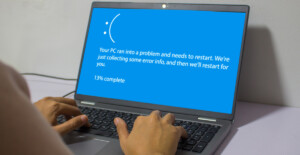
Frequent crashes, random shutdowns, connection drops, and repeated service calls are all signs that hardware may be reaching the end of its life.
Downtime does more than interrupt work. It creates stress for employees, delays service for customers, and can put important business processes on hold.
If hardware issues are becoming part of the normal routine, that is a strong sign it is time to plan ahead.
Plan Hardware Upgrades Before Problems Happen
The best time to upgrade office hardware is before it becomes an emergency.
A planned hardware refresh allows your business to budget properly, schedule installation at the right time, transfer data safely, and avoid unnecessary disruption.
This doesn’t mean replacing everything all at once. In many cases, a phased approach works best. Your business can prioritize the equipment creating the most risk or slowing the team down the most.
Keep Your Office Running Smoothly
Office hardware upgrades are not just about having newer devices. They are about keeping your business productive, secure, and reliable.
If your computers are slowing down, your network equipment is aging, or your team is losing time to recurring hardware issues, now is the time to evaluate what needs to be replaced.
Tech42 can help assess your current hardware, plan upgrades, and manage the process so your business can keep moving without unnecessary disruption. Contact us to learn more!